Introducing Markets Page on BlinkX Web
A Markets Page helps traders scan Options, Futures, and Stocks with easy-to-use screeners, clean filters, and instant action tools - all from one single workspace.
The Markets Page brings all key market signals into one place, allowing traders to identify opportunities and act on them quickly. It provides structured screeners, expiry filters, sorting, and a refined quick-action menu to convert insights into execution instantly.
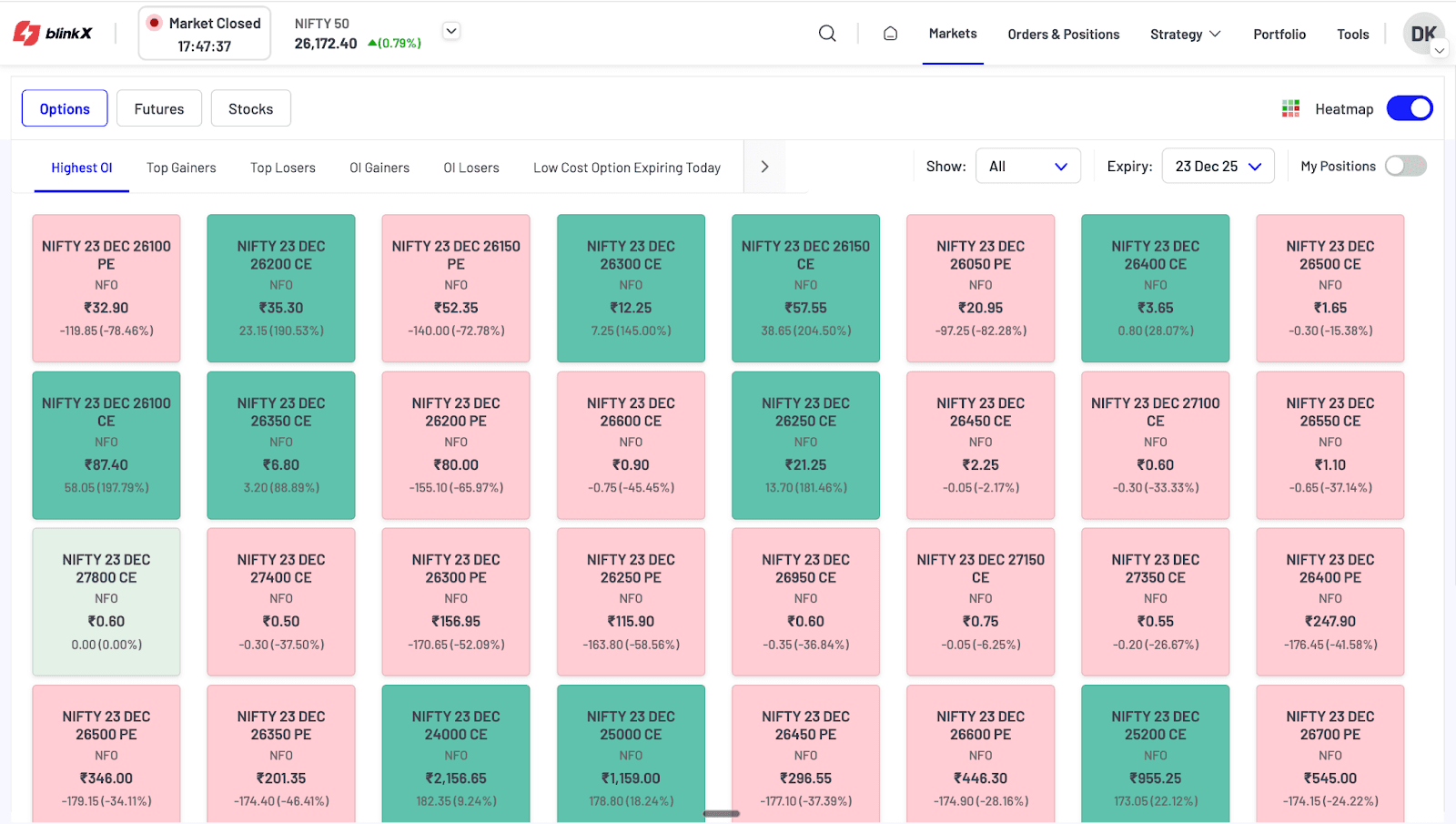
(Image: Markets Page)
A. Options Screeners
Traders can explore category-wise option movements, including:
- Highest OI
- Top Gainers / Top Losers
- OI Gainers / OI Losers
- Low-Cost Options
- Top Volume
Key benefits include:
- Sorting on all relevant fields
- Expiry selection to switch weekly/monthly contracts
- Show filter to view All, Index, Stock options
- My Positions toggle to focus on current positions
- Heatmap Mode - A visual heatmap helps traders identify clusters of strength or weakness at a glance.
B. Futures Screeners
The Futures section helps traders track directional and build-up signals through categories such as:
- Top Gainers / Losers
- Long Buildup / Short Buildup
- Long Unwinding / Short Covering
- OI Gainers / OI Losers
Feature controls include:
- Sorting on price, OI, and volume behaviour
- Expiry selector
- Show: All / Index / Stocks
- My Positions toggle
- Heatmap Mode: A visual heatmap helps traders identify clusters of strength or weakness at a glance.
Trader Value:
Ideal for quickly spotting futures contracts showing strong directional behaviour or fresh position build-ups.
C. Stocks Screeners
The Stocks section highlights equity movements through screeners such as:
- Top Trending
- Top Gainers / Losers
- 52W High / Low
- Top Volume
It includes:
- NSE/BSE toggle
- My Holdings toggle to focus only on invested stocks
- Sortable lists for quick market reading
- Heatmap Mode: A visual heatmap helps traders identify clusters of strength or weakness at a glance.
Trader Value:
Helps identify breakout candidates, reversal opportunities, and stocks gaining trader interest.
D. Unified Data View (Options, Futures & Stocks)
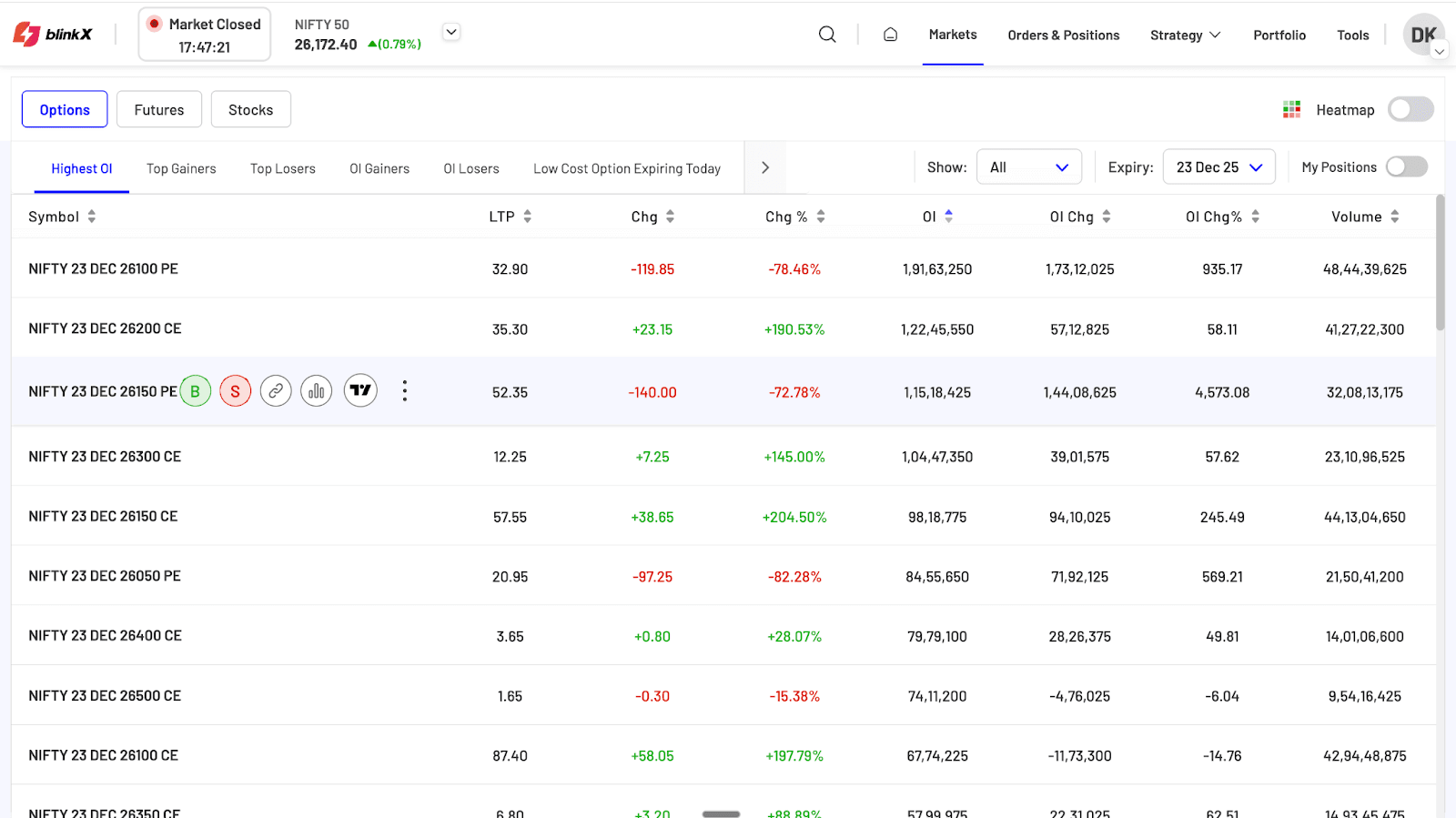
Each screener displays a consistent and trader-relevant set of data points, such as:
- Price movement (LTP, Change, Change %)
- Open Interest behaviour (OI, OI Change, OI Change %), where applicable
- Liquidity indicators (Volume)
- Instrument identifiers (Symbol, Expiry)
This uniform structure ensures that traders can scan any segment with similar reading patterns, while sorting the data as needed, thus overall reducing effort and improving speed of analysis.
Trader Value:
Delivers a familiar and predictable viewing experience, enabling faster interpretation and comparison across contracts and segments.
E. Sorting, Filters & Expiry Controls
Across all segments:
- Traders can sort by any key metric.
- Switch expiries instantly with the expiry dropdown (Options/Futures).
- Filter between Index / Stocks / All.
- Use My Positions/Holdings to isolate personal trades.
Trader Value:
Refines the market view and reduces noise, enabling focused analysis.
F. Quick Action Menu (Unified Across All Segments)
Every instrument row includes a fast-action menu with:
- Buy / Sell buttons
- Option Chain
- Chart
- TradingView chart access
- More actions (⋮) such as Add to Watchlist, Add to Basket, Add to Strategies
Trader Value:
Provides instant execution, organisation, or analysis access—reducing reaction time during live markets.
(Image: Markets Page)
Key Highlights
- A unified market-scanning workspace across Options, Futures, and Stocks.
- Category-wise screeners for fast discovery of momentum, OI shifts, and liquidity pockets.
- Intuitive filters, expiry selection, and My Positions/Holdings toggle for precision analysis.
- Heatmap view for quick visual interpretation of future behaviour.
- One-click Quick Action Menu enabling immediate transition from scanning to execution.
Utility for Traders
The new Markets Page is designed to help traders:
- Spot opportunities faster with clean, structured screeners.
- Act instantly through Buy/Sell and chart actions available inline.
- Read the market better using OI behaviour, price trends, and heatmaps.
- Organise potential trades via quick Add to Basket/Strategy options.
- Reduce navigation time significantly, keeping the entire market overview in one place.
Overall, the Markets Page empowers traders with a fast, actionable, and insight-rich environment for intraday traders, derivatives strategists, and equity momentum traders alike.
Disclaimer: The securities are quoted as an example and not as a recommendation

Join thousands of learners