Introducing Max Order Quantity
BlinkX has introduced the Max Order Quantity feature. It calculates the maximum quantity you are eligible for based on your available margin and fills it automatically in the order window. 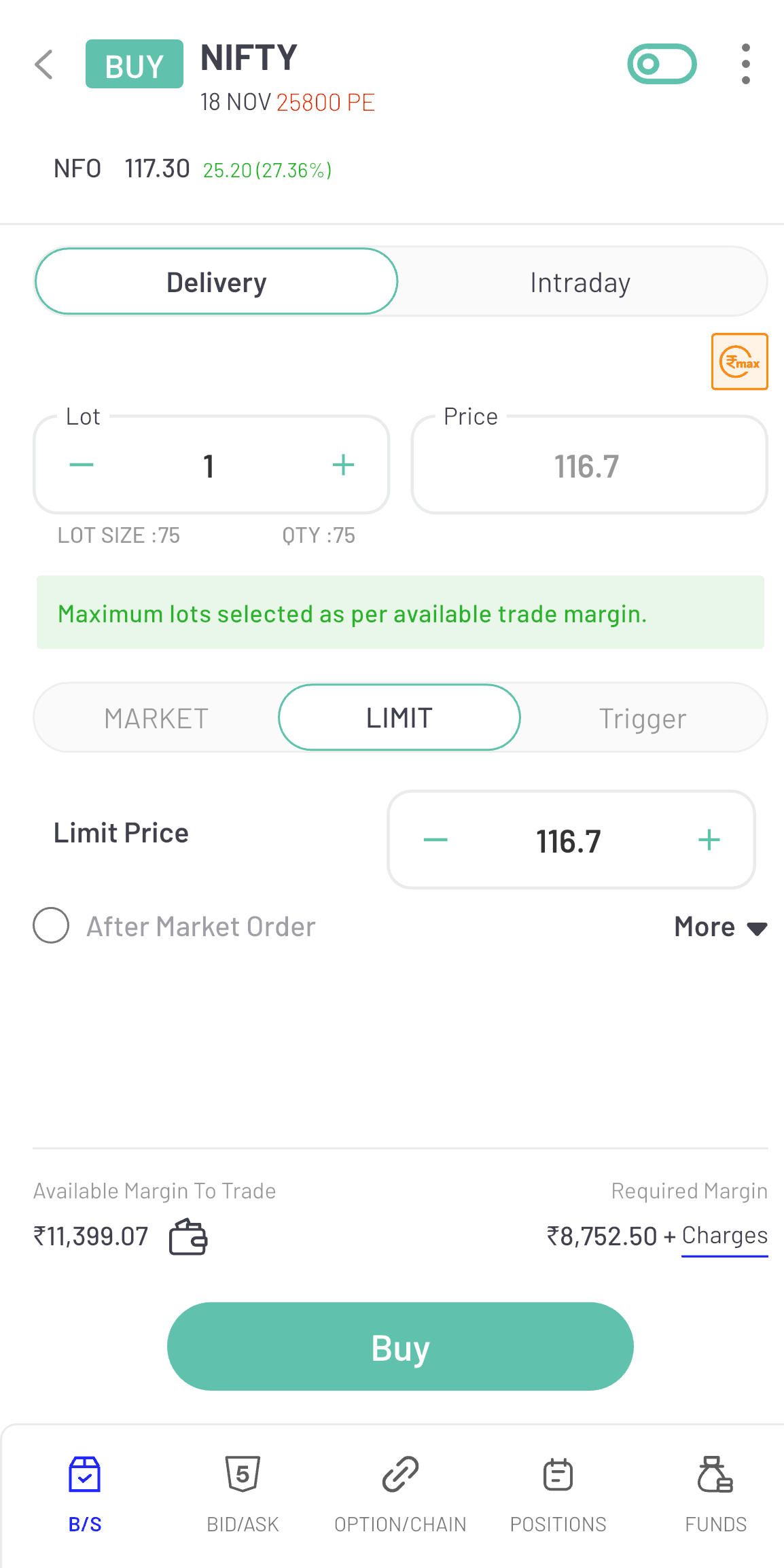
(Image: Max Order Quantity)
About the Feature
The Max Order Quantity button alleviates the stress of determining quantities on your own.
When you tap it in the order window, BlinkX checks your available margin and tells you the highest quantity or lot size you can trade for that stock or contract.
It utilizes the margin and exchange limits to automatically fill in the correct number, allowing you to place the order with confidence.
Benefits of the Feature
Below are the benefits:
- Automatic quantity calculation: BlinkX calculates the maximum eligible quantity, reducing the need for manual inputs.
- Faster execution for large trades: With the quantity filled automatically, you can place big orders without delays.
- Better margin utilisation: You use the full eligible margin for high-conviction trades while staying within allowed limits.
- Reduced errors during order placement: Avoid typos, miscalculations, or incorrect lot entries when dealing with large quantities.
How to use it on BlinkX App?
Follow the below steps:
- Step 1: Open the Order Window for the stock or F&O contract
- Step 2: Tap the Max Quantity button
- Step 3: The quantity field will auto-fill with the maximum tradable lot size based on your current margin
- Step 4: Review the order and tap Buy or Sell to execute
Final Words
The Max Order Quantity allows you place large trades quickly and accurately by automating the quantity calculation. You tap once to get the maximum eligible quantity and execute your order with confidence on BlinkX.
Disclaimer: The securities are quoted as an example and not as a recommendation.

Join thousands of learners