#BlinkX App
13/1/2026
Reverse Basket Order Now Live
A Basket Order lets you group multiple buy or sell orders for different stocks or F&O contracts and execute them with a single click.
About Reverse Basket Order
The new Reverse Basket Order takes this a step further. It is a special function that allows you to instantly reverse all the positions within a previously executed or saved Basket Order.
- A Buy order for a stock automatically becomes a Sell order for the same quantity.
- A Sell order automatically becomes a Buy order for the same quantity.
- This is a powerful tool for quickly squaring off or flipping complex positions.
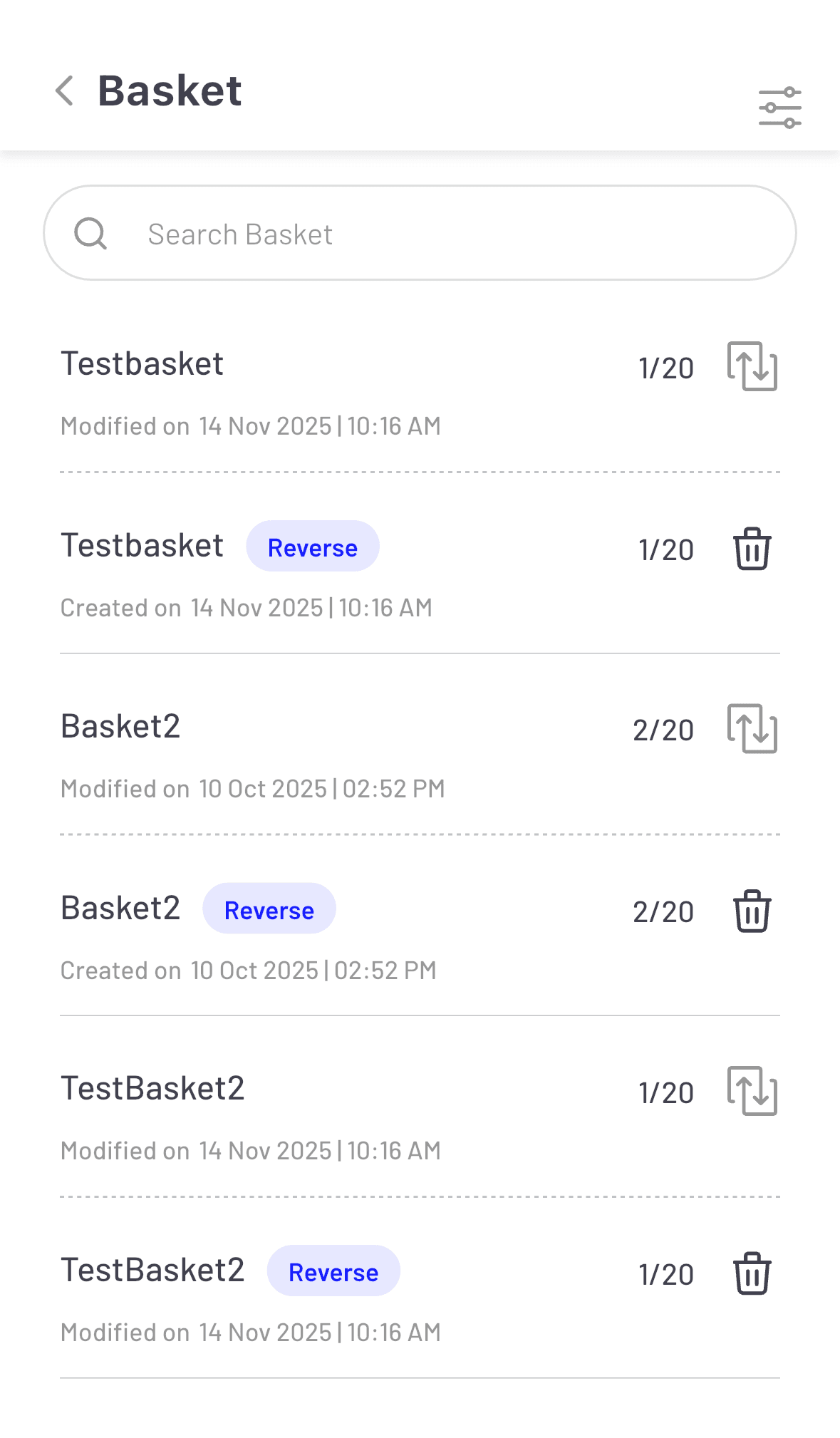
(Image: Reverse Basket Order)
Benefits of Reverse Basket Order
The Reverse Basket Order is built for speed and efficiency, helping you capitalise on market movements without delay.
- Fast Execution: Reverse entire strategies in one tap, significantly reducing the time and effort of placing individual orders during critical market moments.
- Accuracy and Reduced Errors: Manual squaring off multiple positions is prone to errors. This feature ensures all legs of your trade are reversed accurately and simultaneously.
- Portfolio Rebalancing: It is perfect for instantly rebalancing or hedging your portfolio, or quickly exiting all positions associated with a particular trading strategy.
How to use it on BlinkX App?
Using Reverse Basket Order is simple.
- Step 1: Create and save your original Basket Order in the BlinkX app.
- Step 2: Navigate to your saved or executed Baskets.
- Step 3: Select the Basket you want to reverse.
- Step 4: Look for the Reverse Basket.
- Step 5: Review the reversed order details and confirm the execution.
Ready to experience the power of one-click reversal? Download the latest BlinkX app and give this feature a try.
Disclaimer: The securities are quoted as an example and not as a recommendation.

Join thousands of learners