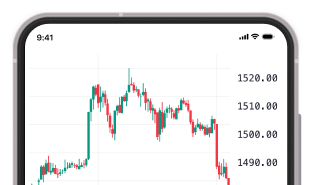
Introducing Chart Based Trading

 13 Jan 2026
 1 mins read




For active traders, speed and clarity matter. When the price touches your level, bounces off support, or starts moving sharply, you want to place your order right there on the chart at that moment. Switching screens takes time and breaks focus.
With BlinkX Chart Based Trading, you can place, modify, and manage orders from the chart itself. Your chart becomes your execution screen, so you can stay focused.
Table of Contents
About Chart Based Trading
Chart Based Trading allows you to place and manage orders directly from the chart that you are analysing.
For instant execution:
- You get buy and sell buttons on the chart legend
- A new ‘Trade’ button in the Account Manager that opens your Order Panel
- One-click orders from the price scale: Click on the ‘+’ button to place a Limit or Stop order at that exact price level
- You can right-click anywhere on the chart to open trading actions. Your order price will be set to the exact crosshair location for pinpoint execution control
- Trade actions from the chart legend 3-dot menu.
- Place, Modify, and Manage precise limit orders directly from the Depth of Market ladder, blending price action and liquidity data seamlessly.
- Use the three-dot menu for order options, or place and adjust limit orders through the DOM for more precise control.
Benefits of Chart Based Trading
Fast execution: You place trades from the exact screen you analyse, without switching windows.
Better accuracy: You trade at the price level you are pointing at, which gives more control.
More context: You see market structure, momentum, and liquidity while placing the order.
This is helpful for intraday traders and scalpers.
How to Use Chart Based Trading on BlinkX
Step 1: Open any chart on BlinkX
Step 2: Switch to TradingView charts
Step 3: Use Buy or Sell, right-click options, or the price scale plus icon
Step 4: Set quantity or order type if needed
Step 5: Confirm the order
For more control, open the DOM and place or adjust limit orders from the ladder.
Final Word
Chart Based Trading brings analysis and execution to the same place. No extra steps. No switching screens. You act as soon as you see the setup. Every chart on BlinkX can now be used to analyse and execute your trades with more ease and confidence.