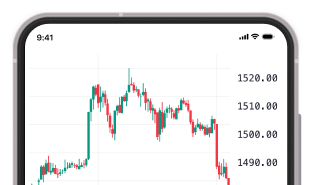
Custom Time Intervals: View the Market at Your Own Speed

 05 Feb 2026
 1 mins read




BlinkX now lets you choose a market viewing speed, or timeframe, that matches your trading style. Time intervals decide how your charts group and display data. Get 1-minute, 15, 25, or 75-minute charts.
With Custom Time Intervals, not only can you use predefined options such as 1m, 5m, 15m, or 1D, but also pick any interval.
Table of Contents
Use Case of the Feature:
Custom timeframes allow you to set your chart to any duration that fits your style. You can set the interval, and the chart adapts accordingly.
Whether it is a 3-minute view, a 25-minute setup, a 75-minute cycle, or a 150-minute structure, you can avail it immediately. Such intervals also function very well with your markers to construct a format for a layout according to your trading system.
Why Custom Time Intervals Matter?
With this update, you get more control over how you read and interpret market movements. A few key advantages:
- You can save any custom interval as a favourite for quick access.
- Your analysis becomes more personalised and more accurate with your method.
- You can smooth noise on shorter views or reveal clearer structure on longer ones.
- Your decisions become faster and more confident because the chart moves at your pace.
- When your chart matches the way you trade, you see the market more clearly.
How to Use It on the BlinkX App?
You can set a custom interval by following the steps below:
Step 1: Open any chart in BlinkX
Step 2: Tap the timeframe menu
Step 3: Select “Add custom interval”
Step 4: Enter your preferred number of minutes, hours, or days
Step 5: Save and start using your new view
You can also create as many custom timeframes as you need and access them anytime.
Final Words
Custom Time Intervals allows you to build charts that follow your strategy instead of the other way around. Set the interval that works for you, view the market through your own lens and make decisions with more clarity and confidence.